Thanks to intrepid assistants, a patch has been submitted to avrdude project, if you want to fix it yourself, simply replace the lines in usbtiny.c in avrdude that have
sizeof(res)
with
4
Ill try to get this patched for the next rev. Sorry!
Check:
- Are all the parts in correctly?
- Are there any cold-solder joints or bridges?
- Are the cables attached properly?
- Are the cables in backwards? (The red wire should be at the #1 spot)
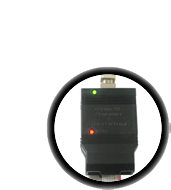
- Is the green light on, indicating USB enumeration was successful?
- Is the driver installed (windows)?
- Is the device plugged into a target board? (I.e. is it connected to a chip)
- Is the target chip powered?
- Are you trying to provide 5V USB power to a device that is already powered?
before posting to the forums!
Use the precompiled .hex file and Makefiles as newer avr-gcc compilers may not be able to squeeze the code down to fit in the chip. Modify the Makefile in spi as needed and, in the spi folder, type in "make fuse flash" Beyond that, you're on your own!
Beyond that advice, if you can't get this project working on your own I suggest buying a kit.It's not a simple project to debug!

This response from avrdude means that it can talk to the programmer but the programmer can't talk to the chip.
- Check:
- Are your 10 and 6 pin cables correct? compare with the pictures in the manual.
- Are you either providing power to the chip (have the jumper in place) or are providing power to the programmer through the VCC header pin? If the jumper is not in place, the buffer chip (74ahc125) will require at least 2V from the target.
- If you programmed your chip to have a very slow clockspeed use the -B flag, as shown here to slow down the chip. "-B 32" should do the job most of the time, but you can go as slowly as "-B 250"
- Is the chip powered? AVCC, VCC, and all GND pins must be connected.
- Does it have a clock (if necessary?)
- Is anything keeping the MISO/MOSI/SCK/Reset pins from switching?
- Are you sure its wired up correctly? Use an oscilloscope to watch the reset line on the chip, it should flicker up and down. Watch the SCK pin and make sure you see a 8-pulse clock train. Check that you didnt get MISO/MOSI swapped. etc.
Most of the time, your programmer is working fine, check your cables and pins and that the target device is properly wired up.

This means you properly replaced avrdude.conf but did not replace avrdude.exe (or under mac/linux, just avrdude) do a search on your computer and verify that you have replaced any copy of avrdude.conf with the patched version from the download page.
This means you did not replace avrdude.exe (or under mac/linux, just avrdude) with the patched version. Do a search on your computer for avrdude.exe and verify that you have replaced any copy of avrdude with the patched version from the download page.

This response means it could not find the programmer. There are many possible reasons:
- If you are using the latest WinAVR (which was built with an old version of the libusb driver library) you must use the v1.10 driver. Uninstall the driver you have and make sure you get the right one installed.
- Try unplugging and re-plugging it in
- Make sure the driver (windows only) is installed.
- Make sure the green LED is lit (which means its powered and has performed USB enumeration).
- Make sure you have libusb installed and that it is the correct version. (linux/mac)
- Make sure you have replaced the old version of libusb0.dll with the one from the download page.
- Make sure you are not providing power to the target through USB when it already has power. Check the jumper in the end of the device and remove it, if so.
- If you programmed the usbtinyisp chip, make sure the fuses are set properly

There's a priv's problem, check the usbtinyisp avrdude linux instructions for more info